


Word Search Bliss
5.0449.00 Reviews
App Specs
- Version
- 1.20.0
- Updated On
- License
- Free
- Downloads
- 100,000+
- Developer
- PlaySimple Games
- Categories
- Word
- Platform
- Android
Screenshots
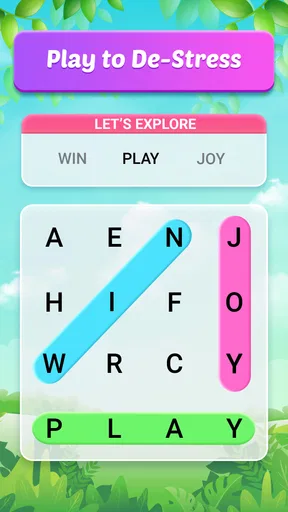
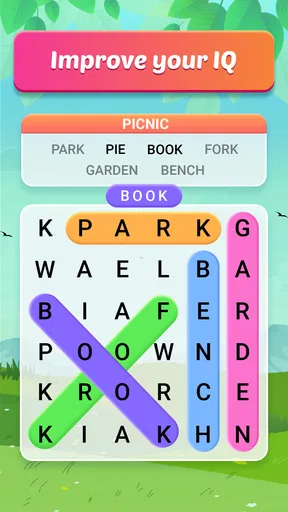
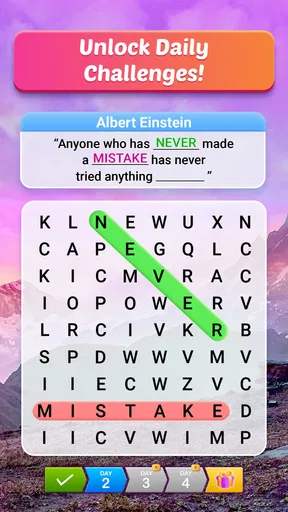
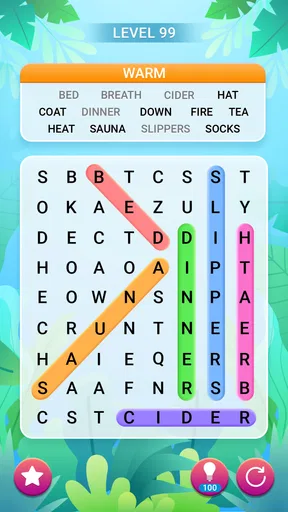
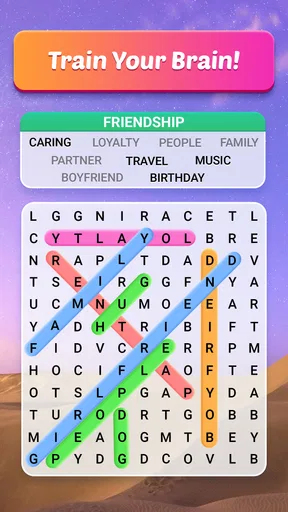
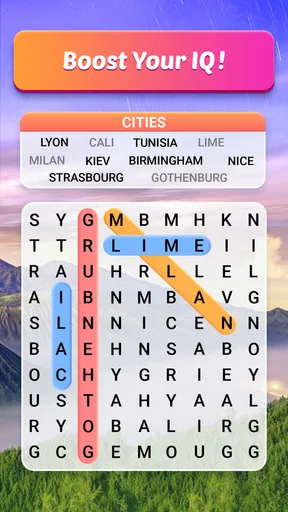
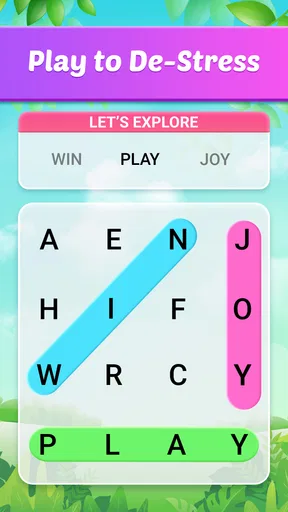
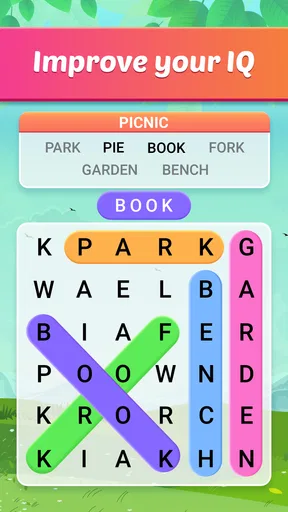
 Analysis by AppCompare
When I want a small puzzle to fill a quiet moment, I usually reach for a word search rather than a game that demands a long session. Word Search Bliss is a word game from PlaySimple Games, built around that familiar hunt for hidden words. Its calm, scenic presentation gives the format a gentler feel, and its free entry point makes it easy to try. I’d recommend it to someone who enjoys scanning a letter grid at their own pace, though the experience is best approached as light relaxation rather than a deep test of strategy.
What a first session is good for
The appeal of a traditional word search is that the goal is immediately clear: look over the grid, spot a word, and trace it out. That makes this a practical pick when I have a few spare minutes and don’t want to learn a complicated ruleset. I can settle into the puzzle without first managing a team, following a story, or remembering a string of objectives.
The early satisfaction comes from turning a busy-looking grid into a series of small discoveries. A useful habit is to scan for unusual letters or word endings instead of reading every row from left to right. I also find it helps to search in one direction at a time; switching randomly between rows, columns, and diagonals can make the same letters blur together. These little routines keep the activity soothing rather than frantic.
Progress that feels steady, not demanding
Word searches naturally provide their own short-term progress signals: each found word reduces the remaining work, and finishing a puzzle gives a clear stopping point. That simple rhythm suits a game meant for unwinding. I don’t need to remember a complicated chain of actions after putting my phone down, and a completed grid feels like a small, self-contained accomplishment.
The game’s scenic presentation supports that slower pace. It gives the familiar letter hunt a more restful mood than a plain grid on a blank screen, which is useful when I want a low-pressure break. Still, visual calm is not the same as meaningful long-term progression. Players who need a substantial campaign, elaborate unlock trees, or a strong narrative reason to keep returning may find this style of reward too modest.
Challenge and pacing: where the format works
The word-search format can offer a satisfying mental nudge without asking me to solve a series of complex clues. The main challenge is visual attention: I need to notice patterns, keep track of which parts of the grid I have already checked, and avoid overlooking words that blend into the surrounding letters. That makes it an easy activity to pick up, but it can also become repetitive if I want every session to introduce a different kind of problem.
For a more focused round, I’d treat each puzzle as a brief attention exercise: scan systematically, pause when my eyes start jumping around, and return to the grid with a fresh look. That is more comfortable than trying to force speed when I’m tired. If I’m in the mood for a sharper challenge involving deduction, layered clues, or competitive play, a crossword or a more rules-heavy puzzle game would likely suit me better.
Worth Reading Before You Choose

EA SPORTS FC Mobile 26 Is a Bigger Football Game, but It Takes Time

Flipboard Shows What News Apps Must Do Beyond the Feed

Switching to Android Auto Means Rethinking Your Driving Routine

Google Calendar Makes a Crowded Week Easier to Manage

Ludo King Makes the Most of the Minutes Between Plans

Baby Panda World Brings Quick Play to Modern Phones, but Its Game Library Feels Busy
Who will enjoy this kind of break
I think this is best for people who already like word searches, casual players who want a low-friction pastime, and anyone who prefers a puzzle that can be paused mentally as well as physically. It can fit into a quiet coffee break, a wait before an appointment, or a few minutes at home after finishing a task. Because the basic idea is familiar, it can also be an approachable choice for different ages; the game is rated Everyone.
It is less suited to players who want a social competition, a constant stream of new mechanics, or a demanding vocabulary workout. A word search rewards spotting words that are already there; it does not ask me to build an argument, solve a clue, or produce language from memory. If those are the skills I want to practise, a crossword, spelling game, or word-building puzzle is a better fit.
Cost and expectations
The game is free to start, with optional in-app purchases priced from $0.99 to $49.99 per item. That range makes it worth checking purchase prompts carefully, especially if I’m handing the device to a child. I’d begin with the free experience and decide whether the way I play justifies spending anything. A paid option is only good value if it addresses a real annoyance or adds something I genuinely want; it shouldn’t be treated as necessary just because it is available.
It has an average rating of 5.0 from around 10,000 ratings, alongside 126 written reviews, and has passed 50,000 installs. Those figures suggest that many players have responded positively, but they don’t tell me whether its particular style will suit my habits. I’d use the free download as the practical test: try a few sessions and see whether the calm format feels inviting or starts to feel too samey.
Visually Appealing and User-Friendly
The first thing you’ll notice when you fire up Word Search Bliss is its sleek and clean interface. The developers have done a fantastic job of keeping the aesthetics simple yet engaging. The color palette is easy on the eyes, making it perfect for those long word-hunting sessions. The app’s layout is intuitive, so you won’t find yourself fumbling around trying to figure out how to get started.
Game Modes Galore
One of the aspects I absolutely love about this app is the variety of game modes it offers. Whether you're in the mood for a quick game or a more challenging session, there's something here for everyone.
- Classic Mode: Just like the traditional word search puzzles, find the hidden words in a grid. It's perfect for those who want to stick to the roots of word searching.
- Timed Challenges: Feeling competitive? Race against the clock to find as many words as you can. It’s a great way to test your reflexes and vocabulary under pressure.
- Themed Puzzles: Dive into categories like nature, history, and pop culture. These add an extra layer of fun, as you might learn a thing or two along the way!
Customization Options
Customization is key when it comes to personalizing your gaming experience, and this game doesn’t disappoint. You can adjust the difficulty level, change the grid size, and even select your preferred word list language. This flexibility makes the app suitable for all ages, from young learners to seasoned wordsmiths.
Multilingual Support
In today’s globalized world, having multilingual support is a huge plus. With this game, you can switch between several languages, making it a fantastic tool for language learners. It’s not just about finding words; it’s about expanding your vocabulary in different languages.
Offline Play
One of the standout features for me is the ability to play offline. Whether you're on a plane or in a remote area with no internet, your word search fun doesn’t have to stop. This ensures that your brain stays active, regardless of your location.
In-App Rewards
Who doesn’t love a little incentive? The game offers a rewarding system that keeps you coming back for more. As you complete puzzles, you earn coins and unlock achievements, adding a layer of excitement and motivation to your gameplay.
Ad-Free Experience
I know what you’re thinking—most free apps are plagued by annoying ads. However, the game offers an ad-free experience through a modest in-app purchase. Trust me, it’s worth every penny to enjoy uninterrupted gameplay.
What to keep in mind before settling in
A few choices can make a word-search session more comfortable. I’d start with a grid size that lets me find words without losing my place, then raise the difficulty only when the current puzzles feel too easy. If I’m using the language option for practice, I’d choose a word list I can already partly understand: unfamiliar vocabulary can turn a relaxing scan into repeated guessing, while known words let me focus on recognition.
Timed play is a different kind of break from leisurely searching. It can be fun when I’m alert and want a brisk challenge, but it is not the mode I’d pick to wind down before bed or when I’m waiting somewhere and might be interrupted. In those situations, a puzzle without a race against the clock is a better match. The choice is less about which mode is universally best and more about matching the pace to my attention and surroundings.
A realistic place in the day
Imagine I have a short wait before an appointment and want something more engaging than scrolling through the same feeds. A word search is easy to start, and the puzzle gives me a natural endpoint if I’m called in. On a longer journey, offline play can be especially useful where a connection is unreliable. I’d still avoid beginning a timed round if I know I may need to put the phone away suddenly; the calmer format is more forgiving of interruptions.
This is also a handy shared activity when someone wants a simple puzzle rather than a competitive game. The clear objective makes it easy to explain, though I would not assume that every word list is equally suitable for every player. A young learner may enjoy spotting familiar words, while an adult hoping for advanced language practice may want a richer vocabulary tool alongside it.
How it compares with other word games
Compared with a crossword, this kind of puzzle puts less emphasis on clues and general knowledge. Compared with word-building games, it is about recognising and locating words rather than combining letters to create them. That distinction is the main reason I’d choose it: it is straightforward and visual, with less mental setup before the puzzle begins. It is also why I would switch to those alternatives when I want more varied reasoning or a stronger sense of competition.
Against a basic paper word search, a phone version is convenient to carry and can offer adjustable settings, language choices, and rewards. Paper has its own advantage: it is free of screen distractions and makes it easy to circle words at whatever pace I like. For someone who already enjoys printed puzzles and wants no in-app spending, paper may be the more satisfying option. For someone who wants a ready-to-use puzzle on a phone, this game is the more convenient choice.
Version, access, and the final trade-off
The current version is 1.10.0 and the minimum operating system requirement is 7.0. The practical point is simple: check that the device you plan to use meets that requirement before trying to install it. The game is free to download, but optional purchases remain part of the experience, so I’d keep that in mind if the phone is shared or purchases need to be controlled.
My main reservation is not that the core idea is hard to understand, but that familiar word searches can lose their freshness for players who need constant novelty. The scenic look, adjustable choices, and rewards may help make repeat sessions more inviting, yet they do not change what a word search fundamentally asks you to do. I’d choose it for an easy, focused pause, not as my only puzzle game or as a substitute for a deeper learning tool.
Overall, I find Word Search Bliss a pleasant option for anyone who wants a relaxed word game with a clear goal and a gentle pace. PlaySimple Games has kept the basic appeal accessible while adding choices that can make a session better suited to the player. If you like scanning grids, want a puzzle that can fit around an ordinary day, and are comfortable judging the optional purchases for yourself, I’d give it a try. If you need complex progression or a more demanding challenge, I’d look elsewhere.
Pros
- User-friendly interface
- easy navigation.
- Extensive word library with frequent updates.
- Customizable themes and backgrounds.
- Offline mode available for on-the-go play.
- Adaptive difficulty levels for all ages.
Cons
- Contains ads that may disrupt gameplay.
- Limited hints can be frustrating for some.
- No multiplayer or social features.
- In-app purchases for additional themes.
- Occasional lag on older devices.
FAQs for Word Search Bliss
What is Word Search Bliss and how does it work?
Word Search Bliss is a mobile application designed to provide an engaging and relaxing word search experience. Players navigate through various themed word puzzles, aiming to find hidden words within a grid of letters. The app offers different levels of difficulty, ensuring it caters to both beginners and experienced players.
Is Word Search Bliss free to download and play?
Word Search Bliss is available for free download on both Android and iOS platforms. While the app offers a range of free puzzles, it also provides optional in-app purchases for additional features, such as ad-free experiences or exclusive puzzle packs, enhancing the overall gameplay.
Does Word Search Bliss require an internet connection?
Word Search Bliss can be played offline, allowing users to enjoy puzzles without an active internet connection. However, certain features, like accessing new puzzle packs or participating in community leaderboards, may require an internet connection to function properly.
Are there any accessibility features in Word Search Bliss?
Yes, Word Search Bliss includes several accessibility features to accommodate various player needs. This includes adjustable font sizes, high-contrast modes, and voice guidance for visually impaired users, ensuring that everyone can enjoy the game comfortably and effectively.
How does Word Search Bliss ensure user privacy and data security?
Word Search Bliss is committed to user privacy and data security. The app collects minimal personal data, primarily used for enhancing user experience and app functionality. It complies with privacy regulations and provides users with clear information on how their data is used, ensuring transparency and security.


